
A light is not green
불이 안 켜질 때
1
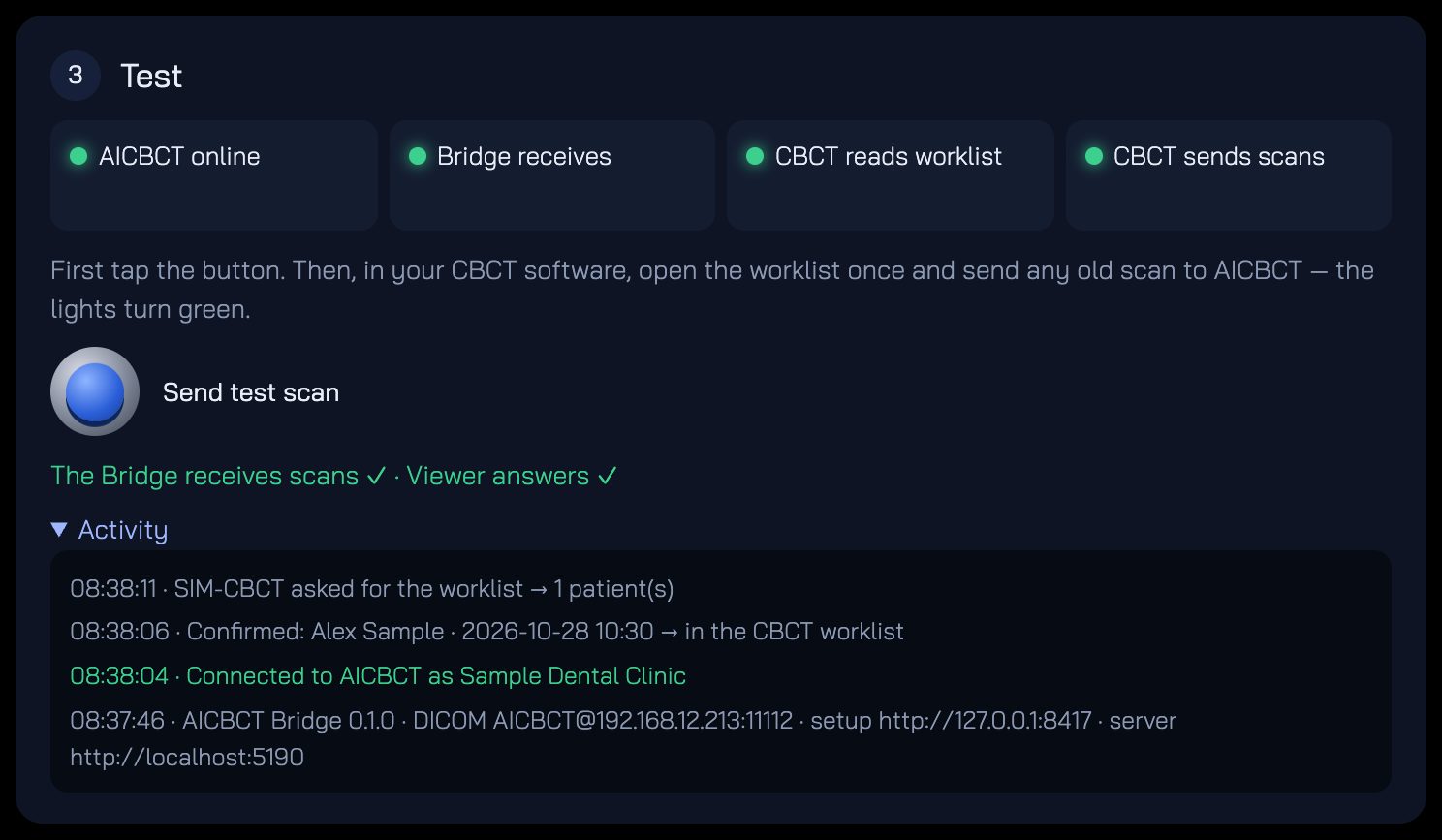
AICBCT online
AICBCT 연결
- The PC has no internet — open any website to check.
- Not connected yet — do step 1 with a new code (codes work once, 15 minutes).
- The clinic network blocks it — the Activity box says Cannot reach AICBCT. See Locked clinic network.
- PC에 인터넷이 없습니다. 아무 웹사이트나 열어 확인하세요.
- 아직 연결 전입니다. 새 코드로 1단계를 하세요(코드는 15분, 한 번만).
- 클리닉 네트워크가 막고 있습니다. Activity에 Cannot reach AICBCT가 보입니다. 잠긴 클리닉 네트워크를 보세요.
2
Bridge receives
Bridge 수신
- Tap Send test scan again.
- Still grey: close the Bridge window and open it again from the Start menu or the downloaded file.
- Antivirus may have stopped it — allow AICBCT-Bridge-Setup.exe in your antivirus.
- Send test scan을 다시 누르세요.
- 그래도 회색이면 Bridge 창을 닫고 시작 메뉴나 내려받은 파일로 다시 여세요.
- 백신이 막았을 수 있습니다. 백신에서 AICBCT-Bridge-Setup.exe를 허용하세요.
3
CBCT reads worklist
CBCT 워크리스트
- Open the worklist (patient list / MWL) in your CBCT software once — the light turns green when it asks.
- Check the three values: AE title AICBCT, the address shown on the Bridge, port 11112.
- Bridge on another PC? Windows may block port 11112 — allow access (see Install, step 3) or ask your IT company.
- No worklist menu at all: the DICOM Worklist option is off — send the dealer e-mail from the setup page.
- CBCT 소프트웨어에서 워크리스트(환자 목록/MWL)를 한 번 여세요. 요청이 오면 초록이 됩니다.
- 세 값을 확인하세요: AE 타이틀 AICBCT, Bridge에 보이는 주소, 포트 11112.
- Bridge가 다른 PC에 있나요? 윈도우가 11112 포트를 막을 수 있습니다. 액세스를 허용하거나(설치 3단계) IT 업체에 요청하세요.
- 워크리스트 메뉴가 아예 없으면 DICOM Worklist 옵션이 꺼진 것입니다. 설정 화면의 대리점 이메일을 보내세요.
4
CBCT sends scans
CBCT 영상 전송
- In the CBCT software, choose any old scan → Send / Export to PACS → AICBCT.
- Same three values as the worklist. Many programs have a Test / Echo button — the Activity box shows Connection test ✓.
- A real patient scan says kept on this PC, not sent? That patient did not come through AICBCT — this is on purpose.
- CBCT 소프트웨어에서 예전 촬영 하나 → Send / Export to PACS → AICBCT를 고르세요.
- 워크리스트와 같은 세 값입니다. Test / Echo 버튼이 있으면 눌러 보세요. Activity에 Connection test ✓가 나옵니다.
- 실제 환자 영상에 kept on this PC, not sent가 뜨나요? AICBCT로 온 환자가 아니어서 일부러 보내지 않은 것입니다.
5
Plans do not appear in the viewer
계획이 뷰어에 안 보일 때
- Open Where should treatment plans arrive? on the setup page and enter your viewer's DICOM receive address, port and AE title.
- Plans are always also saved as PDF in the Bridge folder (C:\ProgramData\AICBCT Bridge\plans).
- 설정 화면의 Where should treatment plans arrive?를 열고 뷰어의 DICOM 수신 주소, 포트, AE 타이틀을 넣으세요.
- 계획은 항상 Bridge 폴더(C:\ProgramData\AICBCT Bridge\plans)에 PDF로도 저장됩니다.